Names are a common weak spot for live AI translation on the big screen. Here is why it happens, and how admins can prepare names and heard-as variants so captions show the intended spelling.
The keynote is going well until the sponsor’s name appears in the translated captions beside the slides as something nobody in the hall recognises. The cause is well understood: names are a common weak spot for live AI translation, alongside accents, specialist terms and background noise. Live caption name correction gives event teams a practical way to manage it, so speakers and sponsors appear on screen as they should.
Why names trip up live AI translation
Accuracy depends on the language pair, the speaker and the sound. Clear audio from a good microphone or mixer, a steady speaking pace and everyday words all help. Accents, dialects, people talking over each other, background noise and specialist terms make mistakes more likely.
Names sit at the centre of that risk. A surname, brand or local place name is often unfamiliar, may come from another language, and rarely has an everyday equivalent to fall back on. When the AI hears something it does not recognise, it may produce a phonetic guess or a similar-sounding common word instead.
A hypothetical keynote in KL
Picture a summit in Kuala Lumpur. The keynote speaker presents in English, and a caption pop-out beside the slides shows a French translation for international delegates. The moderator introduces the speaker by full name, and the French captions render the surname as it sounded rather than as it is spelt. For a few seconds, the whole hall reads a name that is not quite right.

Why the shared screen raises the stakes
On a phone, one listener might skim past an odd word. On a venue display, everyone reads the same captions at the same moment, including the speaker’s colleagues and the sponsor whose logo may be on the next slide. That is why names deserve their own planning rather than being treated as ordinary slips.
Setting realistic expectations
Live AI translation has a short delay while speech is processed, and it can make mistakes. Results vary so much by setup that no single accuracy percentage gives a fair picture, so test your own speakers, languages and key terms before the event. For legal proceedings, clinical decisions, consent and other high-risk conversations, a qualified interpreter remains the right choice.
How near real-time name and word correction works
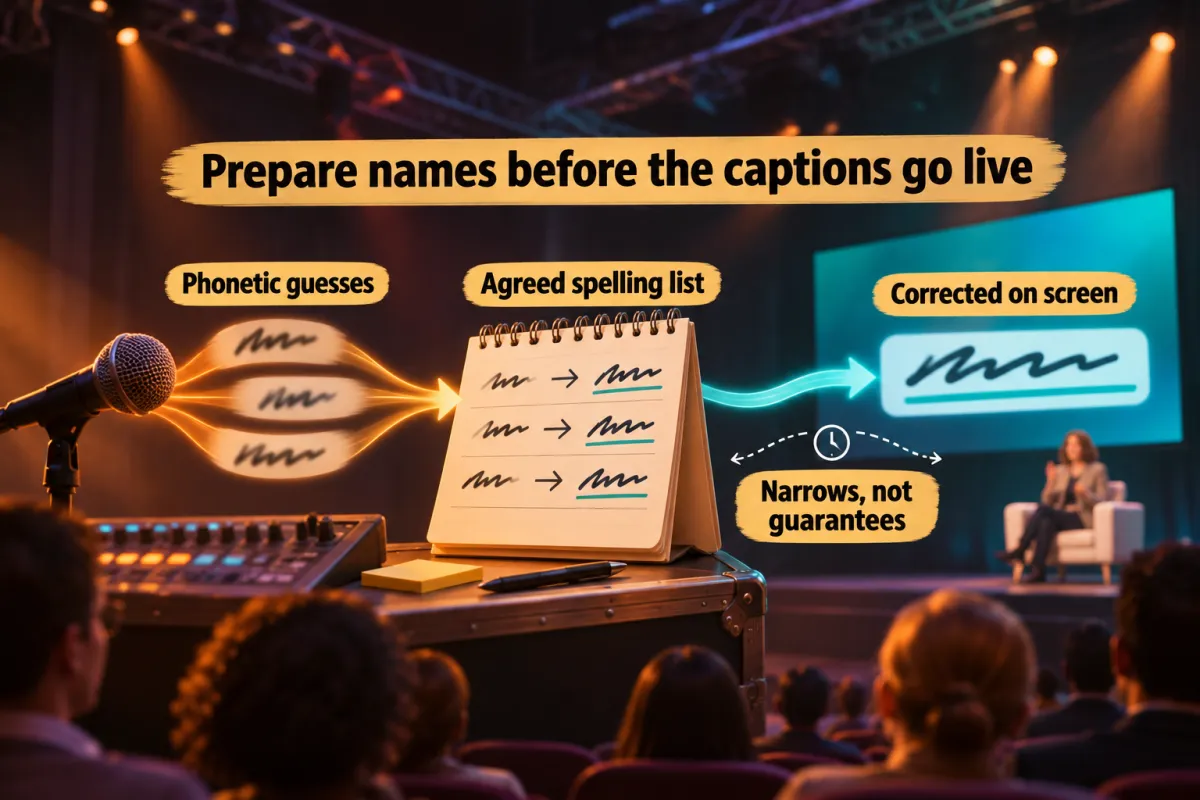
The work starts before anyone speaks. An admin prepares a list of the names and terms that matter for the event, each with its agreed spelling, plus “heard-as” variants: the ways the AI is likely to mishear that name. When a variant turns up in the live output, the captions can be corrected to the agreed spelling in near real time.
Back at the KL keynote, the admin would have entered the speaker’s surname with two or three heard-as variants noted during rehearsal. When the moderator says the name, the big screen shows it as the speaker actually spells it. The approach narrows a common weak spot rather than promising that every name will be right, and a short delay remains.
Related capabilities, such as live caption correction and event-specific vocabularies, also exist elsewhere in the market. That makes it a recognised, practical approach, and organisers can judge any tool on how well it fits their own event.
Two hypothetical examples
A company town hall. Before the briefing, the communications lead adds product names, executive names and office locations such as Penang and Shenzhen. A test session a few days earlier shows how the AI hears each one, and the lead adds those variants to the list before the real briefing. On the day, staff following in several output languages see consistent spellings instead of a garbled brand name.
A community talk. A volunteer admin keeps a list of honorifics, guest speakers’ names and local place names. When a visiting speaker is introduced, the shared screen shows the agreed spelling rather than a phonetic guess, and the welcome reads as respectfully on screen as it sounds in the room.
Preparing your list and your room
- Build the list from your speaker and sponsor rosters, plus product names and local places.
- Add likely misheard variants, especially for unfamiliar surnames and brands.
- Supply clear audio through a good microphone or mixer.
- Rehearse with your real speakers, languages and key terms, then add any new variants you hear before the event.
- Check the caption text size from the back of the room.
A careful list and a proper rehearsal let conferences, briefings and community events show names on the big screen the way the people behind them intend.